Back to Games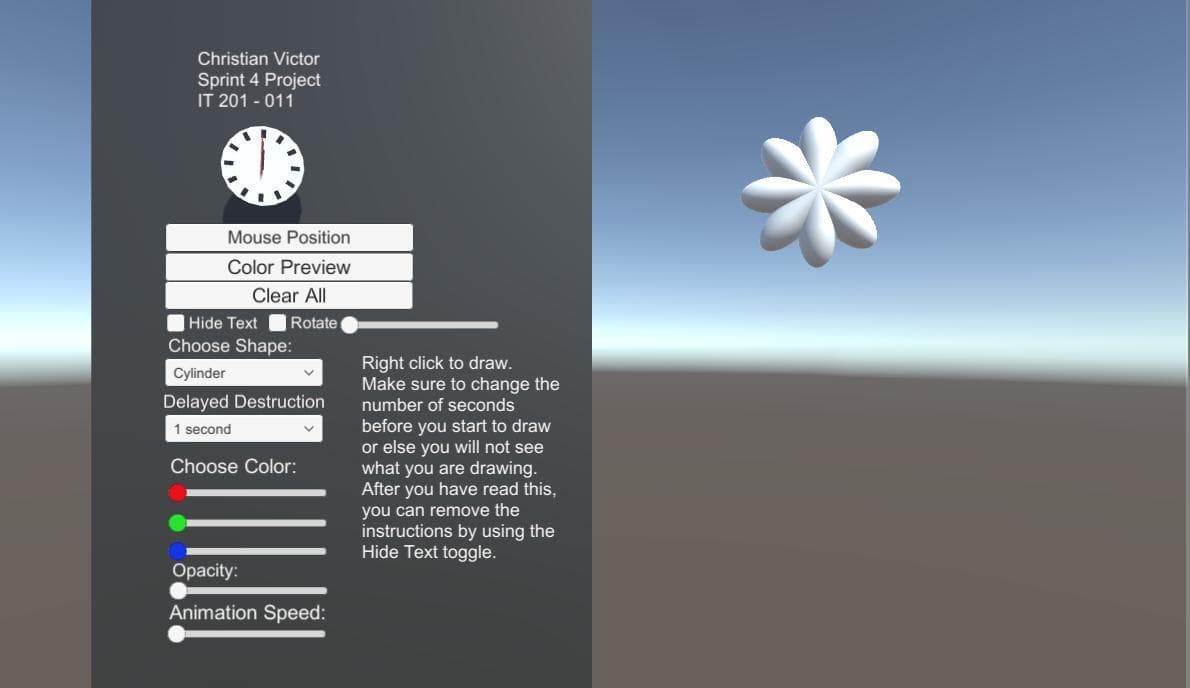
IT 201 Sprint 4 Project
2019
About
This Project is a final edit of everything done in the previous projects. I have added a mouse position, a background for the menu, and I have everything more organized for the user to see everything. In order to see the change in animation, the user can press 1, 2, 3, 4, 5, or 6. The animation State will change between Bounce, Spin, and Size. It can also be reverse and instead be Size, Spin, and Bounce.
Screenshots
Community Activity
Playing0
Completed0
Plan to Play0
Tap to see all activity →
Developers
cv700
Platforms
Web
Tags
animationbounce
Loading...
Loading...